App Canvas · Open source · Agent native · v0.12.0
Your whole UI. One canvas. Real code.
Explore real application screens, states and interactive flows on a zoomable canvas, built and maintained with your coding agent.
Synthetic demo · no app backend · no login · no API key
App Canvas Cloud →TL;DR
- See the implemented UI together: full screens, named conditions and connected flows.
- Keep one UI implementation. Your coding agent creates the fixtures, adapter and coverage checks.
- Try 77 states and 44 flows in the public synthetic demo. No login or API key.
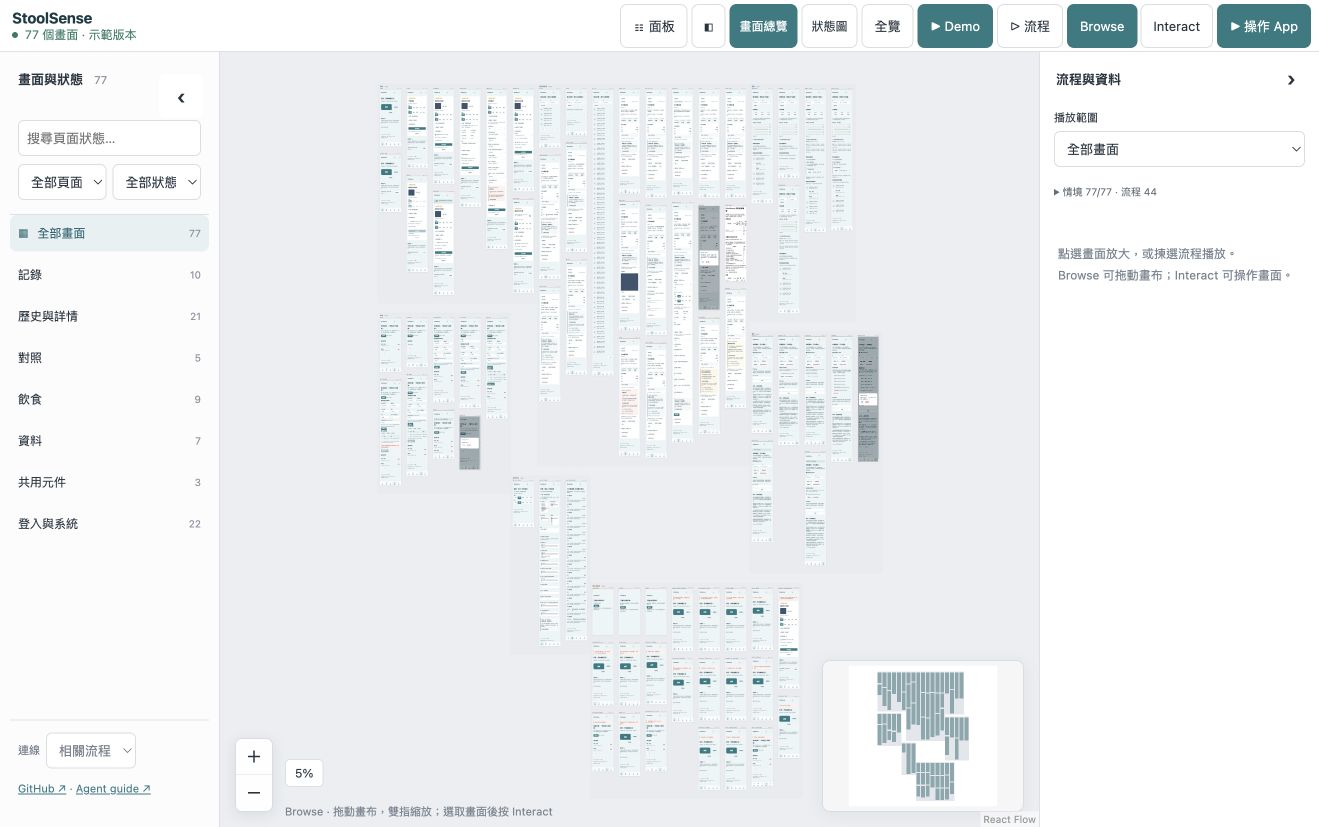
See it, use it, play it
Zoom out to understand the app
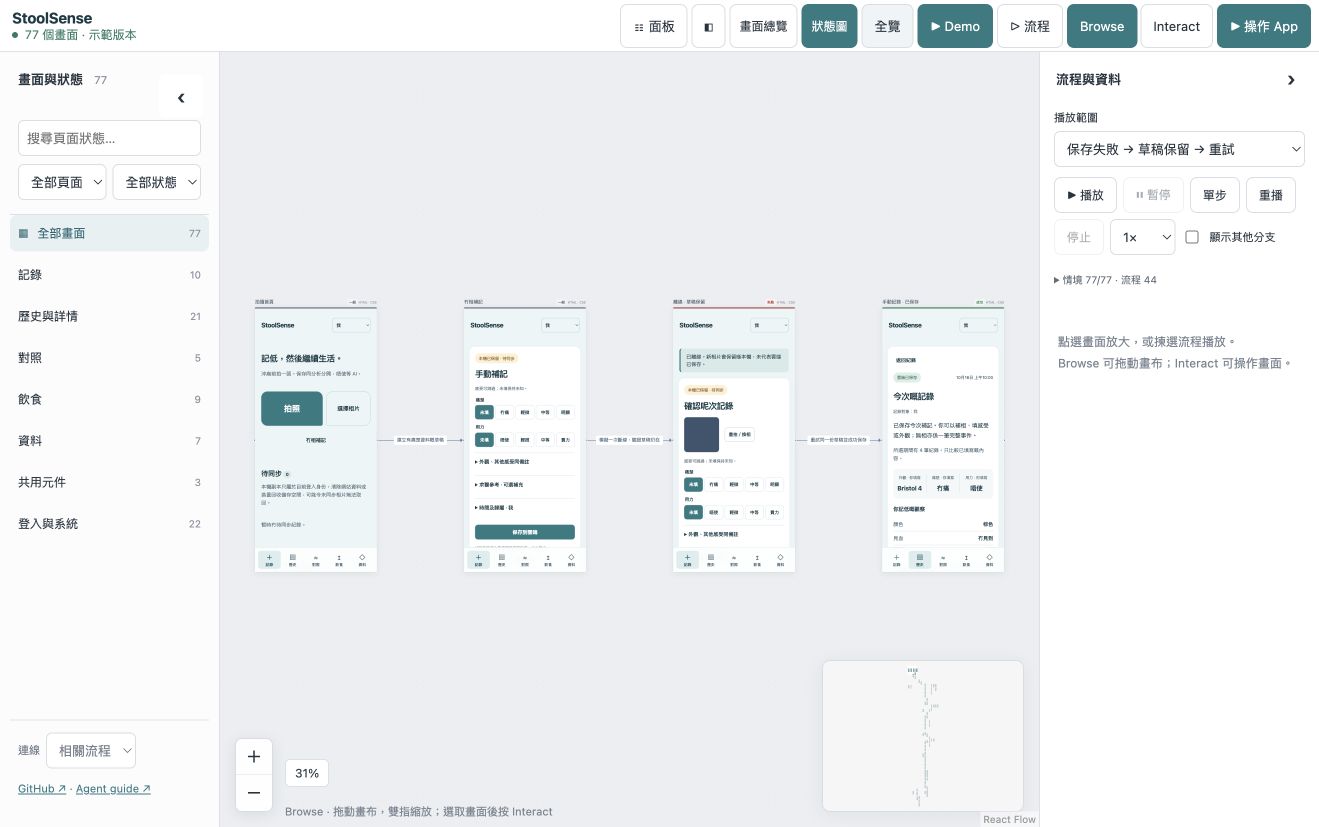
Browse full screens grouped by page. Search, filter and collapse sidebars. Follow a flow link and the camera moves to the destination.
Zoom in to use the real UI
Browse locks controls for safe panning. Select a screen, choose Interact, and use its original application code with disposable synthetic data.
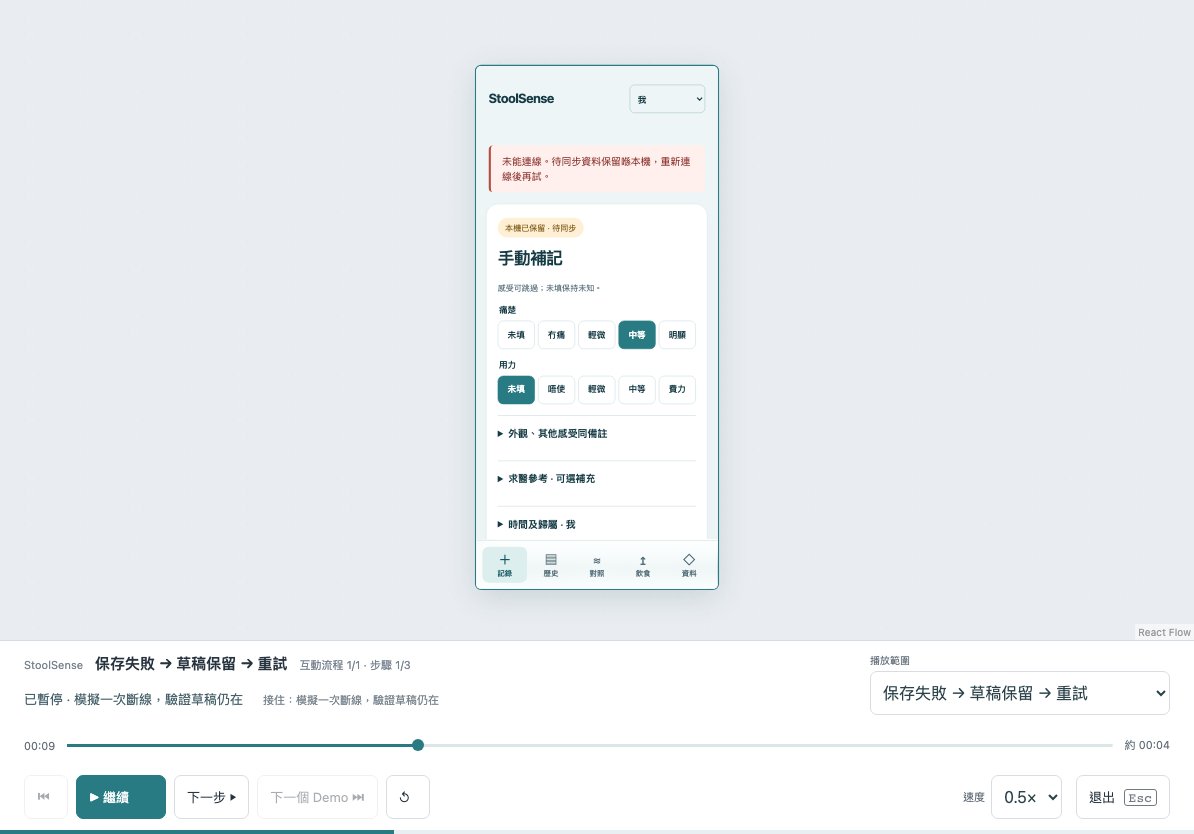
Press Demo to explain a journey
Play happy, failure and recovery flows in a continuing app session, with action cues, captions, pause, speed and a step timeline.
From an existing repo to an interactive canvas
Give the job to an agent that can read and edit your repository and run commands. No existing Storybook or manually prepared screen list is required. Installation alone does not populate the canvas.
Add to your repo →App Canvas Cloud · waitlist
Want a hosted workspace? Join the interest list. Cloud is not available yet; the MIT tool and public demo are usable now.
Leave the waitlist
Privacy and telemetry
Optional minimal usage events via Cloudflare to PostHog. No page contents, code, names, file paths, email or IP address are forwarded to PostHog. You can turn this off.
What this release does and does not prove
- Web previews use actual HTML/CSS and original JavaScript for interaction. Native UIKit, SwiftUI and Android need original-runtime harnesses and evidence; a capture is not a live native app.
- Coverage is a reviewed source-to-case contract, not automatic discovery of every possible business condition. UI checks do not qualify production backends, clinical accuracy or model precision.
- Viewer: English by default, with 11 languages. The public demo is a frozen synthetic frontend; live integrations watch your source. Physical iPad performance has not been measured.
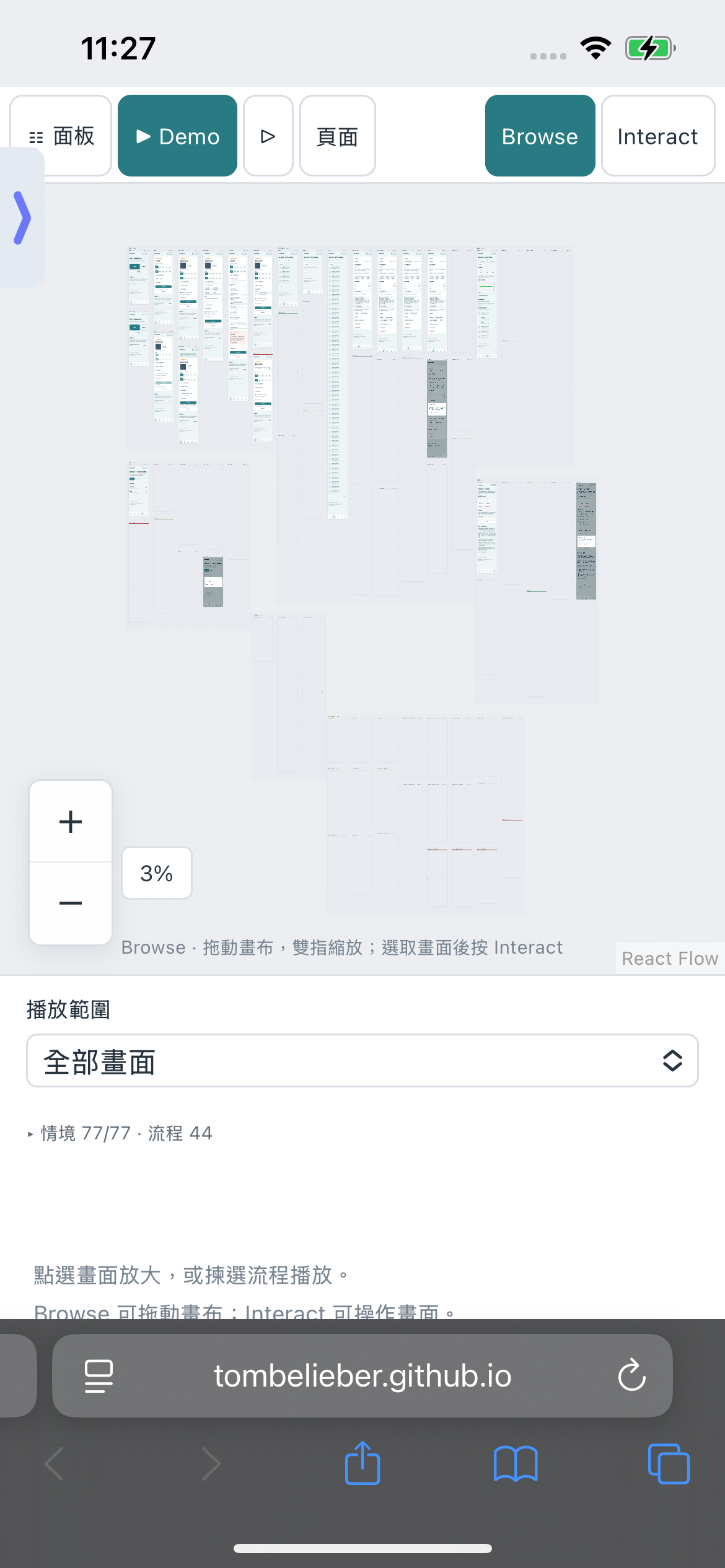
Safari engineering story
Real iPhone Safari capture. See the engineering article for the crash-to-working investigation and measurement limits.
Safari engineering story →