App Canvas · 开源 · 为 Coding Agent 而设计 · v0.12.0
从现有 Repo 到完整交互画布
与 coding agent 一起创建和维护可缩放画布,同时查看真实页面、状态和交互流程。
合成数据 Demo · 无 App backend · 无需登录 · 无需 API key
App Canvas Cloud →TL;DR
- 一次看清已实现的完整页面、命名状态和连接流程。
- 只维护一份 UI。Coding agent 负责 fixtures、adapter 和 coverage checks。
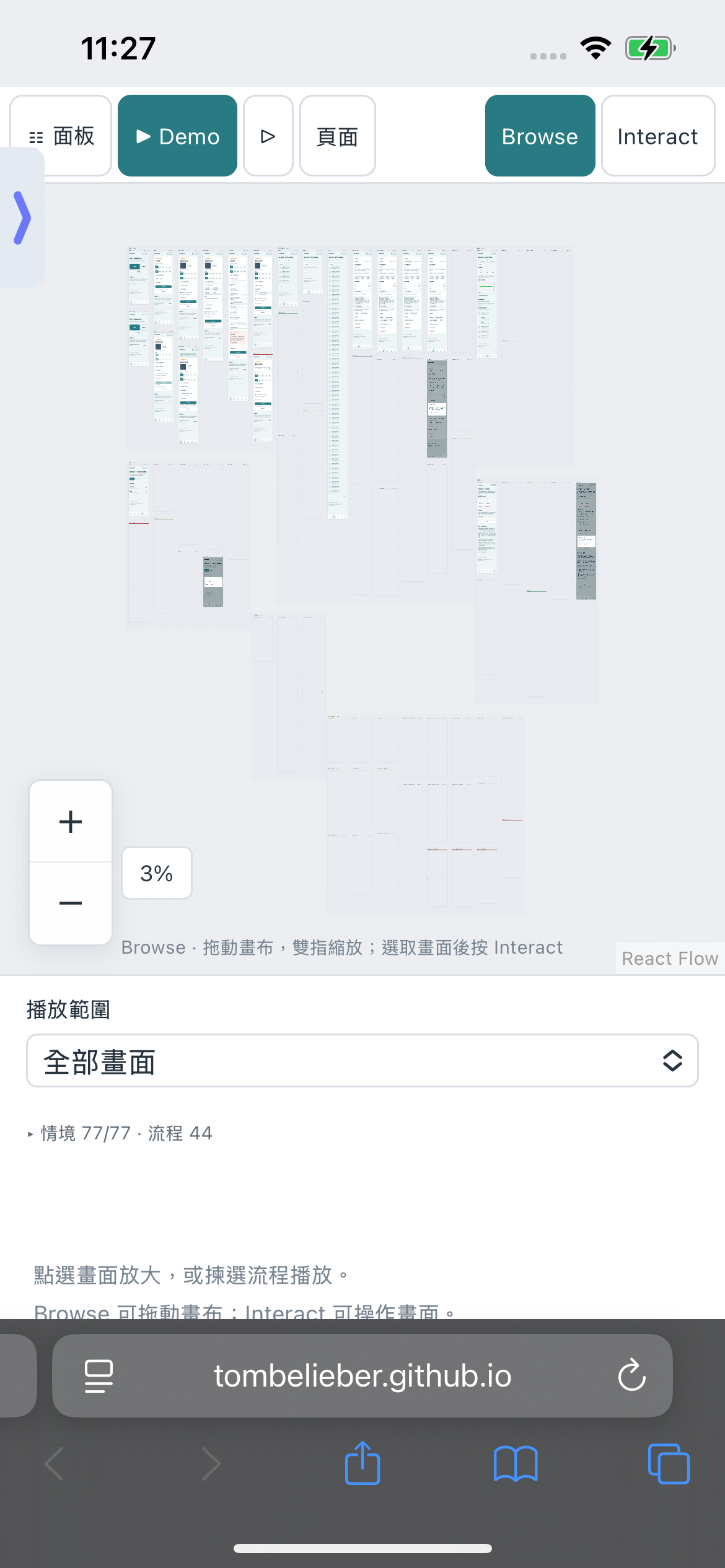
- 公开合成数据 Demo 有 77 个状态和 44 条流程,无需登录或 API key。
从现有 Repo 到完整交互画布
交给能读写 Repo 并执行命令的 coding agent。无需事先准备 Storybook 或手写画面清单;仅安装包不会自动填满画布。
粘贴给你的 Coding Agent
Read https://github.com/tombelieber/app-canvas/blob/v0.12.0/AGENT_GUIDE.md and add a completely populated App Canvas to this repository. Discover all screens, components, variants, states and navigation from the whole application source. Use original UI code. Create the missing synthetic fixtures and render harnesses. Reconcile an independent source inventory with rendered cases and source-linked runtime checks. Add checked happy, failure and recovery journeys. Run --complete against the original source root. Continue until the full landscape is populated and verified; report genuine blockers as incomplete. Keep production sessions, credentials and real user data out of previews.安装共享工具
使用 Node.js 22+,沿用项目的包管理器与 lockfile。安装固定版本的 GitHub release,再安装浏览器。npm 12 若阻止此直接 Git 依赖,才添加 --allow-git=root;无需更改全局设置。
npm install --save-dev github:tombelieber/app-canvas#v0.12.0
npx app-canvas browsers
先盘点,再选择 Case
从整个 App 根目录运行 discover。Agent 逐一检查源代码区域和候选项,解决 pending,独立列出语义状态,不能反过来由 catalog 决定范围。未解决的 blocker 必须保留。
npx app-canvas discover --source-root . --out .artifacts/app-canvas/inventory.json
npx app-canvas pending --inventory .artifacts/app-canvas/inventory.json
用 Fixtures 渲染原有 UI
Agent 创建 ui-review/canvas.config.mjs、catalog、合成 fixtures、preview entry 和可检查 journeys。Web adapter 导入原有页面、providers 与样式;fixtures 只替代数据和依赖,不能重写 UI。拒绝未知网络请求。
ui-review/
  canvas.config.mjs
  catalog.json
  frame.jsx
  fixtures.js
  README.md
.artifacts/app-canvas/inventory.json
// package.json → scripts "ui:review": "app-canvas --config ui-review/canvas.config.mjs"验证状态和交互
覆盖已实现的正常、空白、加载、错误、拒绝访问、对话框和恢复状态。检查每个 case,流程要操作真实控件。核对 inventory、关联源码的 assertions 和 routes,再对同一 App 根目录通过 --complete。
npx app-canvas --config ui-review/canvas.config.mjs --check
npx app-canvas --config ui-review/canvas.config.mjs --verify
npx app-canvas --config ui-review/canvas.config.mjs --complete --source-root .
从源代码维护和检查
运行 ui:review,查看总览和状态图,再播放流程。让 Agent 修改真正的 App 源码;既有 preview 会重新构建。新 route 或状态需要更新 inventory、fixture 和 journey,交付前必须通过完整检查。
npm run ui:review
哪些文件留在你的 App Repo
共享包维护 viewer、CLI 和 skill;各 Repo 维护自己的 adapter、fixtures、独立 inventory、catalog 和交互检查。从可运行的 React/Vite 示例开始;其他技术栈使用专属 adapter。
可选的 Agent Skill
Codex 和 Claude Code 可以安装附带的 skill,其他 coding agent 可直接阅读 AGENT_GUIDE.md。Canvas runtime 不调用模型,也无需模型 API key;你选择的 Agent 有自己的费用和权限。
npx app-canvas install --target both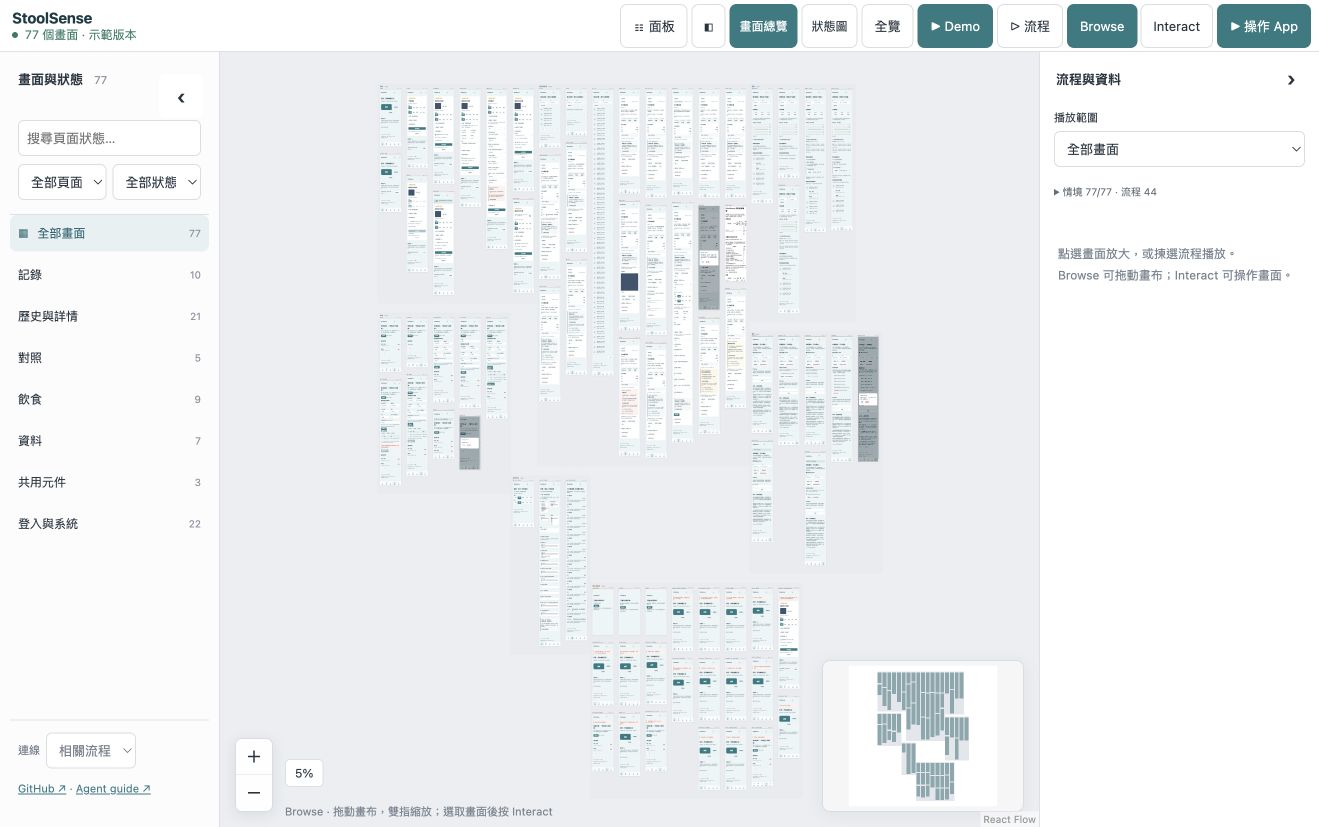
App Canvas Cloud · 候补名单
想要托管工作区?登记兴趣。Cloud 尚未推出;MIT 工具与公开 Demo 现已可用。
退出候补名单
隐私与遥测
可选地经 Cloudflare 发送少量使用事件到 PostHog。不会将页面内容、代码、姓名、文件路径、email 或 IP 地址转交 PostHog,可随时关闭。
这个版本能证明什么,有哪些限制
- Web preview 使用真实 HTML/CSS,交互时执行原有 JavaScript。UIKit、SwiftUI 和 Android 需要原生 runtime harness 和证据;原生截图不等于可操作的原生 App。
- Coverage 是经过审查的源码与 case 对照,不会自动推断所有业务场景。UI checks 不代表 production backend、医疗准确率或模型 precision 已达标。
- Viewer 默认 English,支持 11 种语言。公开 Demo 是固定的虚构前端;本机集成会跟随源码更新。尚未测量实体 iPad 性能。